
Use Garmin’s official dealer locator to confirm the current Aviation listing and contact details before purchase.
Garmin display comparison for pilots, owners and maintenance teams
Garmin GI 275 vs Garmin G5 - which display fits your aircraft?
GI 275 and G5 can both support panel modernization, but they are not selected for the same reasons. This guide helps prepare a clearer quote request by separating instrument role, integration needs and aircraft context.
- Compare display role before price
- Check panel and integration constraints
- Prepare a cleaner Garmin quote request
Dealer and quotation support
Supplier contactNisso Dekalo Ltd supports Garmin Aviation enquiries in Israel. Verify the current dealer listing through Garmin, then send the exact aircraft and part-number context needed for an accurate quotation.
Longstanding aviation parts and avionics procurement experience for pilots, aircraft owners, operators and maintenance teams.
Requests are checked against the aircraft, installed avionics, exact Garmin model, accessories, documentation and required date.
Priority Garmin quote paths
Request a quoteFast routes for high-intent Garmin Aviation requests: exact part-number quotes, urgent AOG needs, supplier selection and procurement packages.
Quote path
Quote by part number
Send Garmin model or part number for price and lead-time checks.
Quote path
Part number index
Find Garmin model and 010-series part-number quote paths.
Quote path
AOG Garmin support
Urgent Garmin sourcing for AOG and maintenance needs.
Quote path
Procurement package
Build a Garmin package quote across avionics families.
Quote path
Supplier selection guide
Choose the right Garmin supplier path before requesting a quote.
Quote path
Installation planning
Prepare Garmin installation and supplier questions.
Garmin product families
View Garmin products
Product family
Garmin GI 275
Compact digital instrument for existing panels.
Product family
Garmin GTN 750Xi
Advanced GPS/NAV/COM navigator.
Product family
Garmin G3X Touch
Integrated flight display for modern panels.
Product family
Garmin GTX 345
ADS-B transponder solutions.
Product family
Garmin G500/G600 TXi
Advanced displays for certified aircraft.
Product family
Garmin GFC Autopilot
Autopilot systems and installation parts.
Product family
Garmin GTN 650Xi
Compact Garmin Xi navigator quote path.
Product family
Garmin G5
Electronic flight instrument and upgrade quote path.
Product family
Garmin aera GPS
Portable aviation GPS and accessory quote path.
Product family
Garmin D2 watches
Pilot smartwatch quote and variant support.
Product family
Flight Stream connectivity
Plan Garmin wireless connectivity and data-transfer requests.
Product family
Garmin audio panels
Quote GMA audio panels with cockpit audio context.
Product family
Navigation and radios
Plan Garmin GNC, GTR and NAV/COM quote requests.
Garmin quotation services
Request a quoteUse these service paths when you already know the purchasing need: quote by part number, urgent AOG support or a broader Garmin procurement package.
Quotation service
Quote by part number
Send Garmin model or part number for price and lead-time checks.
Quotation service
Part number index
Find Garmin model and 010-series part-number quote paths.
Quotation service
AOG Garmin support
Urgent Garmin sourcing for AOG and maintenance needs.
Quotation service
Procurement package
Build a Garmin package quote across avionics families.
Quotation service
Database workflow support
Clarify Garmin database region, device and update path.
Garmin buying guides
Talk to the teamUse these guides to choose the right Garmin path, collect aircraft details and request a quote that matches the actual avionics project.
Buying guide
GI 275 vs G5
Compare compact Garmin flight display options.
Buying guide
GTN 750Xi vs 650Xi
Choose the right Garmin GPS/NAV/COM navigator.
Buying guide
ADS-B transponder guide
Plan GTX and ADS-B quotation details.
Buying guide
IFR panel upgrade guide
Plan Garmin avionics as a connected system.
Buying guide
GFC fitment guide
Prepare Garmin autopilot fitment details.
Buying guide
Installation planning
Prepare Garmin installation and supplier questions.
Buying guide
Supplier selection guide
Choose the right Garmin supplier path before requesting a quote.
Buying guide
Pilot Choice rebate
Check current Garmin Aviation promotions and eligibility.
Buying guide
GDM DME upgrade
Plan Garmin GDM 450R and GDM 4500 sourcing.
Buying guide
Perspective+ Cirrus
Prepare Cirrus SR Garmin Perspective+ upgrade requests.
Useful Garmin links
Request a quoteUse these Garmin links for product-family context, support, aviation database workflows and training. Then send Nisso Dekalo the exact model, part number and aircraft details for quotation support in Israel.
Garmin link
Garmin dealer locator
Garmin dealer locator where buyers can verify Nisso Dekalo Ltd under Aviation around Herzliya, Israel.
Garmin link
Garmin Aviation solutions
Garmin overview of aviation products, markets, apps and services.
Garmin link
Garmin Dealer Resource Center
Garmin area for dealer tools, product information and brand workflows.
Garmin link
Garmin Aviation support
Garmin support center for aviation product questions, manuals, downloads and troubleshooting.
Garmin link
flyGarmin databases
flyGarmin portal for aviation database workflow and account-based update management.
Garmin link
Garmin Aviation training
Garmin training resources for pilots and operators using Garmin avionics.
Start with the instrument role
Before choosing GI 275 or G5, define whether the display is expected to support attitude, HSI, CDI, standby, engine indication or a staged panel upgrade. The role usually matters more than the product name.
Integration changes the decision
Existing navigators, autopilot interfaces, sensors and panel space can make one option more suitable than another. A photo of the current panel is often more useful than a short product request.
Quote the whole requirement
For a useful comparison, include aircraft model, current instruments, desired display role, timeline and whether the request is for one unit, a paired configuration or a wider Garmin upgrade.
Garmin selection and quotation workflow
Request a quote1. Identify the request
Send the Garmin model or part number, aircraft make/model and whether this is replacement, repair support, AOG or a planned upgrade.
2. Record the installed systems
List the current navigator, displays, transponder, autopilot, antennas and sensors. A clear panel photo is useful when the request involves integration.
3. Confirm the quotation scope
The quote can cover the unit, required accessories, documentation, availability, lead time and delivery terms. Product names alone are not enough to confirm a configuration.
4. Verify approval before installation
Aircraft eligibility, STC/approved data, interfaces and installation requirements must be verified for the exact aircraft by an appropriately approved installer.
Garmin Aviation buying help in Israel
Request a quoteCompare Garmin flight displays in Israel
Useful for aircraft owners searching for a practical GI 275 vs G5 comparison before requesting a quotation.
Avoid mismatched display choices
A display can look suitable by size but still be wrong for the role, integration or approval path.
Prepare a quote request
Send the aircraft details, existing panel and target role so the team can help identify the correct Garmin path.
What to prepare before requesting a quote
Request a quoteCurrent panel photo
A clear panel photo helps identify space, instrument layout and existing Garmin or legacy equipment.
Target display role
Mention whether the display is for attitude, HSI, CDI, standby or a broader modernization plan.
Connected equipment
List current navigators, autopilot, sensors and displays so compatibility can be reviewed.
Need a Garmin quote by part number?
Send the aircraft make/model, current avionics, exact Garmin model or part number, required accessories and target date. Compatibility and approved installation data are confirmed for the specific aircraft before ordering.
Relevant Garmin products
Talk to the team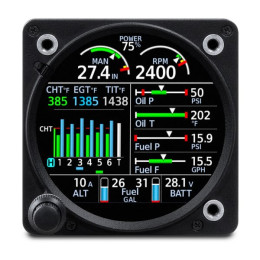 GI 275 Engine Indication System (EIS)
010-GI275-10
GI 275 Engine Indication System (EIS)
010-GI275-10
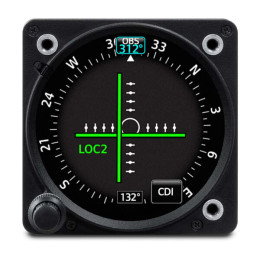 GI 275 for Helicopters, Course Deviation Indicator (CDI)
010-GI275-13
GI 275 for Helicopters, Course Deviation Indicator (CDI)
010-GI275-13
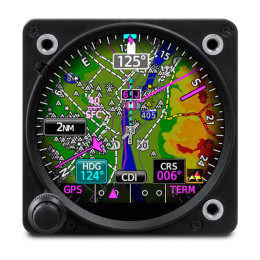 GI 275 for Helicopters, Horizontal Situation Indicator (HSI)
010-GI275-12
GI 275 for Helicopters, Horizontal Situation Indicator (HSI)
010-GI275-12
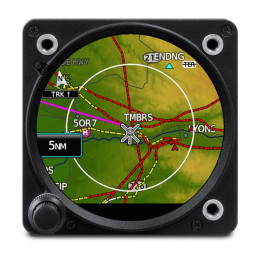 GI 275 for Helicopters, Multi-function Display (MFD)
010-GI275-14
GI 275 for Helicopters, Multi-function Display (MFD)
010-GI275-14
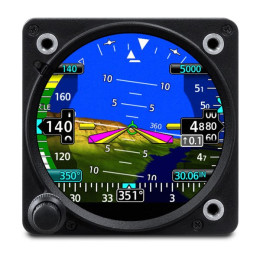 GI 275, Attitude Indicator (AI/ADI)
010-GI275-00
GI 275, Attitude Indicator (AI/ADI)
010-GI275-00
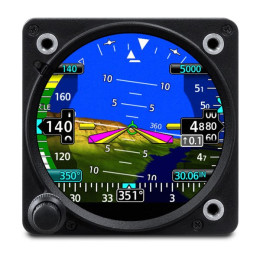 GI 275, Attitude Indicator (AI/ADI)
010-GI275-01
GI 275, Attitude Indicator (AI/ADI)
010-GI275-01
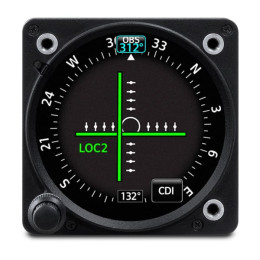 GI 275, Course Deviation Indicator (CDI)
010-GI275-04
GI 275, Course Deviation Indicator (CDI)
010-GI275-04
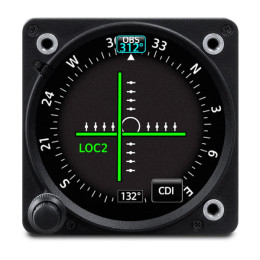 GI 275, Course Deviation Indicator (CDI)
010-GI275-05
GI 275, Course Deviation Indicator (CDI)
010-GI275-05
Garmin Aviation FAQ
Is GI 275 always better than G5?
No. The better choice depends on aircraft, display role, integration needs and quotation scope.
Can I request both options in one quote?
Yes. Send the aircraft and panel details and ask for both paths to be reviewed.